Every retail associate knows the awkward moment at checkout: “Can I get your email for the receipt?” Some shoppers happily say yes. Many say no, and the sale goes into your system as an anonymous transaction you cannot connect to anything.
Shopify has been expanding how Shopify POS recognizes customers in store, which raises a fair question: do you still need to ask every shopper for an email? This guide explains what POS customer recognition changes, what it does not change, and how to adjust your in-store routine. If you run both a physical store and an online shop, you can explore Shopify POS while working through the steps.
What Shopify Announced
Shopify’s Fall ’26 Edition describes expanded in-store customer recognition for POS.
Recognition through the Shopify Payments network
According to the Edition page, POS can identify more retail customers through a network of hundreds of millions of people who have checked out at stores powered by Shopify Payments (Source: Shopify Editions Fall ’26).
Why this matters for anonymous sales
Anonymous in-store transactions are a long-standing gap for omnichannel brands. If more of those sales attach to a customer profile, you can see more complete purchase histories across store and online.
What Shopify does not detail publicly
The Edition page does not explain every step of how recognition works or which customers qualify. Check your POS settings and Shopify’s Help Center for current requirements before changing staff scripts.
Related POS Features That Use Identified Customers
Recognition becomes more useful when combined with other POS features built around known customers.
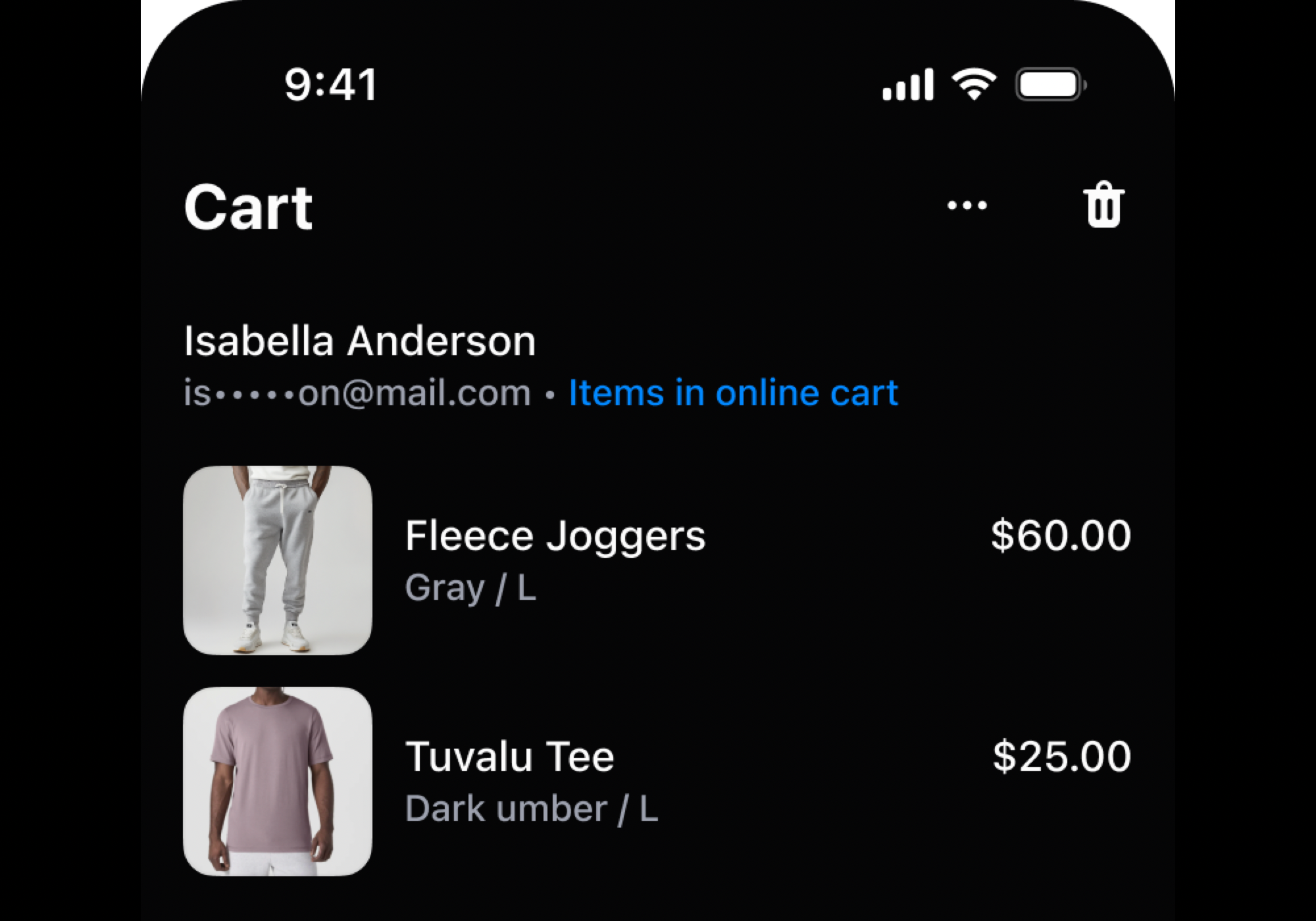
Viewing online checkouts in store
Shopify’s August 2026 retail roundup describes a feature that lets authorized staff view items from an identified customer’s abandoned online checkout in POS. Shopify clarifies that it shows checkout items, not browsing history (Source: Shopify Blog).
Permissions and requirements
The same roundup says staff need the “View abandoned checkouts” permission, and the customer must be identified, have an email address, and have an eligible abandoned checkout.
Why the email still appears in the requirements
This detail is important. Some features still depend on the customer profile having an email, so recognition does not make email capture irrelevant.
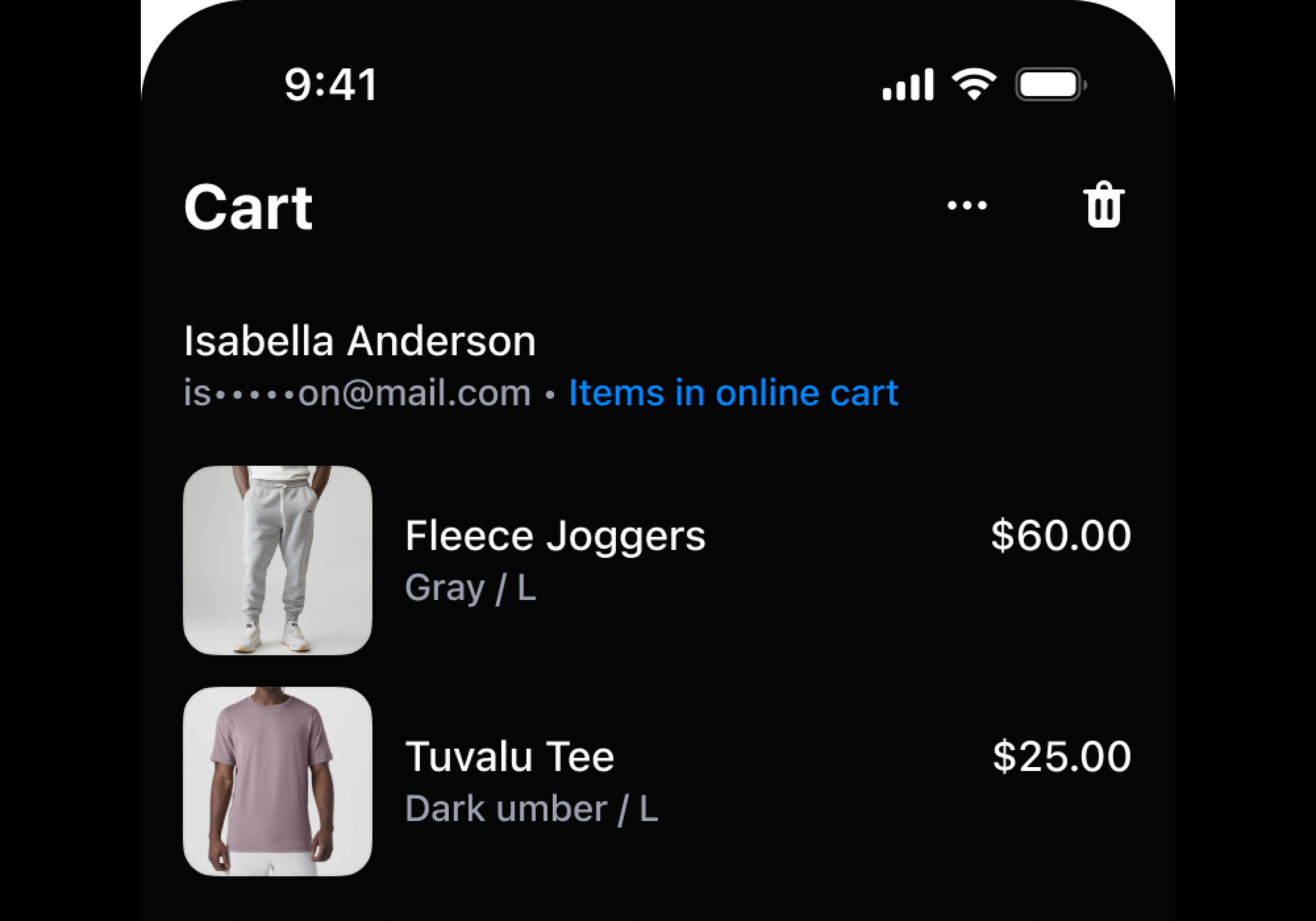
Image source: Shopify Blog.
Recognition Is Not Marketing Consent
The biggest misunderstanding to avoid is treating a recognized customer as a subscribed customer.
Knowing who bought is different from permission to market
Recognition can link a purchase to a profile. It does not mean the shopper agreed to receive your marketing emails or texts. Consent rules depend on your region and the channel you use.
Keep asking for opt-in when you want to market
If your goal is to send promotions, staff still need to ask whether the customer wants to receive them, and record that choice correctly in POS.
Use recognition for service first
Recognition is most clearly helpful for service: seeing past purchases, handling returns, and helping with items they looked at online. Lead with those uses.
| Goal | Does recognition help? | Do you still need to ask? |
|---|---|---|
| Link the sale to a customer profile | Yes, for recognized customers | Only if not recognized |
| Send marketing emails | No | Yes, ask for opt-in |
| Email a digital receipt | Possibly, if an email is on file | Confirm the address |
| Show online checkout items in store | Yes, with permissions | Profile needs an email |
| Loyalty points | Depends on your loyalty setup | Check how your program identifies members |
Partnered with Shopify: This guide includes Shopify links for retailers using Shopify POS and online sales together.
A Better Checkout Conversation
With recognition available, staff can replace a blanket email request with a more natural flow.
Check whether the customer is already recognized
If a profile appears, greet the customer and confirm any details you need. Skip the email request if it is already on file and accurate.
Ask with a clear benefit when needed
For unrecognized customers, explain why you are asking: “Would you like your receipt by email so returns are easier?” A specific reason works better than a generic request.
Ask separately about marketing
Keep the marketing question separate and optional: “Would you also like to hear about new arrivals?” Record the answer accurately.
Image source: Unsplash.
When Staff Should Still Ask for an Email
Recognition reduces how often you need to ask, but there are still clear situations where asking is the right call.
The customer is not recognized
Not every shopper will be part of the network, and some will use payment methods that do not lead to recognition. For these customers, asking for an email remains the main way to connect the sale to a profile.
The purchase is likely to be returned or exchanged
Gifts, sized clothing, and higher-value items are more likely to come back. An email on file makes digital receipts and return lookups easier for both the customer and your staff, especially during the holiday rush.
The item needs follow-up care
Products with warranties, care instructions, or registration steps benefit from an email address. Asking with that reason in mind feels like service rather than data collection.
The customer wants to join loyalty or marketing
If the shopper wants points or updates, collect the details your loyalty program needs and record marketing consent clearly. Loyalty apps differ in how they identify members, so check your setup.
The existing profile looks out of date
A recognized profile may hold an old address or email. A quick “Is this still the best email for receipts?” keeps records accurate without repeating the whole sign-up conversation. You can manage customer profiles in Shopify if staff find duplicates.
Omnichannel Uses Worth Testing
More complete profiles open practical options for brands with both stores and websites.
Finish online carts in person
A customer who abandoned a jacket online walks into your store. With the right permissions, staff can see that checkout and help them try the item on.
Smarter post-purchase follow-up
If the customer has opted in, an in-store purchase can trigger care tips or matching items by email, just like an online order.
Clearer customer value reporting
When store and online purchases sit in one profile, you can see which customers buy in both places. Those shoppers often deserve different treatment from single-channel buyers.
Privacy and Staff Training
Recognition only builds trust if customers feel respected.
Do not surprise customers with personal details
Staff should avoid reading out purchase histories or online activity unprompted. Use the information to help, not to show how much the store knows.
Limit permissions to the right roles
Give features such as viewing abandoned checkouts only to staff who need them. Shopify lets you control this through roles and permissions.
Document your consent process
Write down how staff ask for receipts and marketing consent, and train new hires on it. Consistent behavior is easier to audit.
Example: A Two-Location Boutique
A clothing boutique with two stores and a website changes its routine in three ways.
Before
Staff asked every customer for an email. Many declined, and roughly the same customers appeared as separate store and online profiles.
After
Staff first check whether POS recognizes the customer. They ask for an email only when needed for receipts or returns, and ask a separate marketing question. Associates with the right permission can see online checkout items when a known customer visits.
What they measure
The share of in-store sales linked to a profile, the opt-in rate for marketing, and how many store customers later buy online.
POS Recognition Checklist
Use this list to update your in-store process.
- Review current POS customer recognition settings and requirements.
- Update the checkout script to check recognition before asking for an email.
- Keep marketing consent as a separate, optional question.
- Assign abandoned checkout permissions only to the right staff roles.
- Train staff on privacy-conscious use of customer information.
- Track the share of in-store sales linked to customer profiles.
Then review your POS settings in Shopify and roll the new script out to every location.

Image source: Unsplash.
Final Thoughts
Shopify POS customer recognition means staff may not need to ask every shopper for an email just to connect a sale to a profile. It does not replace marketing consent, and some POS features still depend on an email on file. Check recognition first, ask for emails only when they add value, keep marketing opt-in separate, and use Shopify POS to build a fuller picture of customers who shop in more than one place.
FAQ
Does POS customer recognition mean customers subscribed to my emails?
No. Recognition can link a sale to a profile, but marketing consent must still be collected and recorded separately.
Can store staff see what a customer looked at online?
Shopify says authorized staff can view items from an identified customer’s abandoned online checkout, not their browsing history.
Which permission do staff need to see abandoned checkouts in POS?
Shopify’s August 2026 retail roundup lists the “View abandoned checkouts” permission under customer permissions.
We only recommend tools we’ve tested and trust. This post may include affiliate links, meaning we may earn a commission if you choose to purchase – at no extra cost to you.