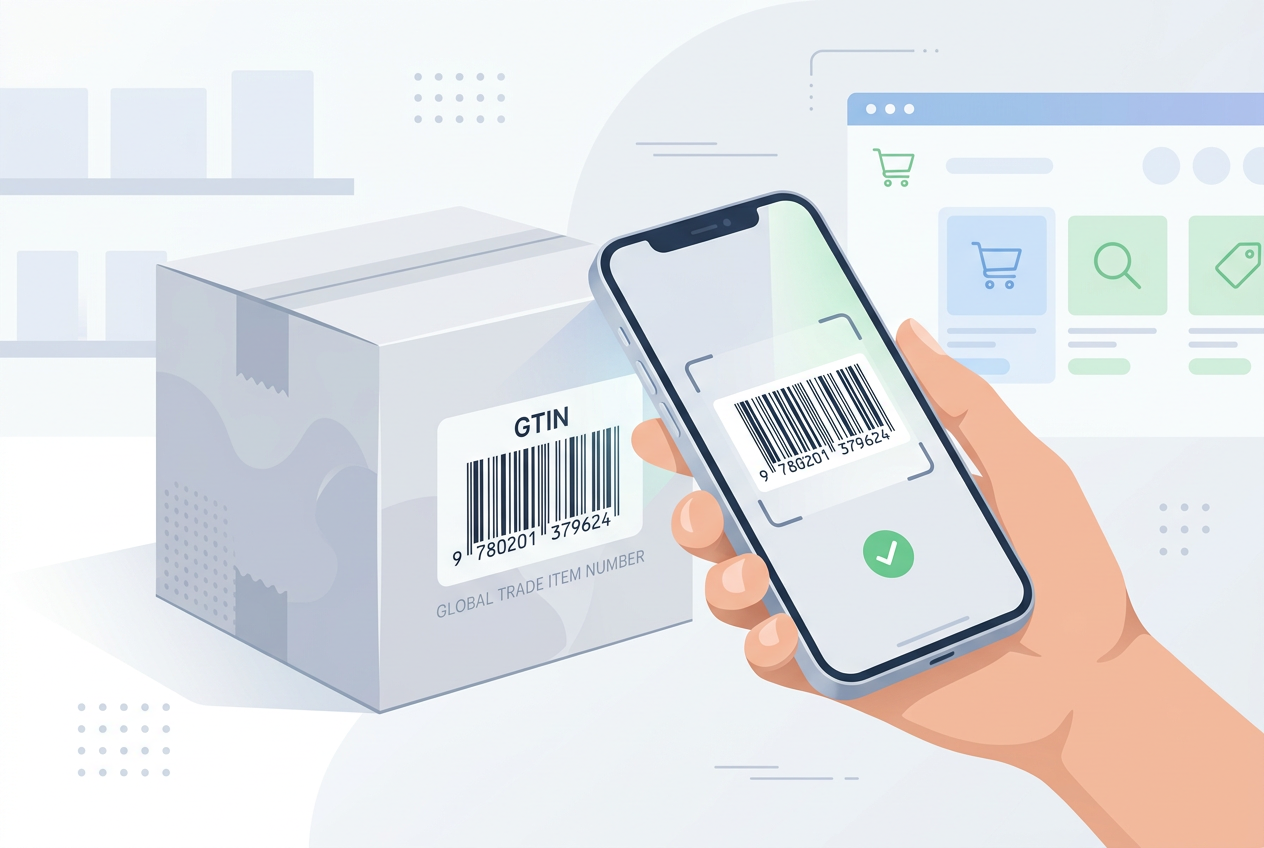
A merchant adds a new product, reaches the barcode field, and stops. Should that box hold a GTIN, a SKU, or nothing at all? Guessing here causes problems later, from rejected product feeds to listings that get matched to the wrong item.
This guide explains what a GTIN on Shopify is, when your product actually needs one, and when leaving the field empty is the correct choice. It also covers Shopify’s newer barcode options, so you can set up your Shopify product data correctly before peak season.
What a GTIN Is in Plain Terms
A GTIN, or Global Trade Item Number, is a standardized product identifier issued through the GS1 system.
GTIN is the family name for several formats
UPC codes (12 digits, common in North America) and EAN codes (13 digits, common in Europe and many other markets) are both types of GTIN. ISBNs for books also fit into the GTIN system.
So when a marketplace asks for a GTIN, a valid UPC or EAN usually answers that request.
A GTIN identifies a product, not a store
Every retailer selling the same branded item should use the same GTIN. That shared number is what lets channels recognize that your listing and another store’s listing describe the same product.
GTIN is not the same as a SKU
A SKU is your internal code. You can invent it, change it, and format it however you like. A GTIN is external, belongs to a specific brand owner, and should never be made up.
Image source: Unsplash.
When Your Product Actually Needs a GTIN
The answer depends on who manufactures the product and where you sell it.
You resell branded products
If you sell items from another brand, the manufacturer usually assigned a GTIN already. You will often find it printed on packaging or listed in supplier spreadsheets.
Shopping channels such as Google Merchant Center generally expect that manufacturer GTIN for branded products. Missing or wrong codes can limit how listings show.
You sell through marketplaces or retail partners
Many marketplaces, wholesale buyers, and physical retailers require GTINs to list or receive inventory. If retail distribution is part of your plan, getting GS1 codes early saves a painful relabeling project later.
You want clean data for AI shopping channels
AI tools and comparison surfaces rely on structured product data. A valid identifier is one of the clearest signals that two listings describe the same item, which helps when shoppers compare prices across stores.
When You Can Leave the Field Empty
Plenty of Shopify products legitimately have no GTIN, and that is fine.
Handmade and made-to-order items
One-off ceramics, custom portraits, and personalized jewelry rarely carry GTINs. Forcing a code onto them adds no value unless a retail partner asks for it.
Private-label products sold only on your store
If you design your own products and sell them only on your site, a GTIN is optional. Many brands still buy GS1 codes because they plan to expand into retail or marketplaces later.
Bundles you assemble yourself
A gift set made of three branded items is a new product. Do not reuse one component’s GTIN for the whole set. Either register a code for the bundle as the brand owner, or leave the field empty.
| Product type | Needs a GTIN? | What to do |
|---|---|---|
| Branded item you resell | Usually yes | Use the manufacturer’s UPC or EAN |
| Private label, own store only | Optional | Buy GS1 codes if retail expansion is planned |
| Handmade or custom | Usually no | Leave empty, use a clear brand and SKU |
| Self-assembled bundle | Not the component code | Register a new code or leave empty |
| Wholesale or retail distribution | Usually yes | Get GS1 codes before production labels |
How Shopify Handles Barcodes Now
Shopify expanded its barcode support in 2026, which changes how merchants can store identifiers.
Up to 20 barcodes per variant
According to Shopify’s changelog from September 2026, a variant can now hold up to 20 barcodes, with types such as UPC, EAN, ISBN, GTIN, and Custom for internal codes (Source: Shopify Changelog).
This helps when the same item has a US UPC and a European EAN, or when a supplier changes packaging codes.
Format validation catches typos
Shopify now checks barcode values against their standard format as you type. A transposed digit in a 13-digit EAN is easier to catch at entry than after a feed rejection.
The first barcode still matters most
The same changelog notes that sales channels read the first barcode on a variant. Put the primary GTIN you want channels to use in that first position, and keep internal or legacy codes after it.
You can update barcodes in the variant page, bulk editor, or product CSV. If you are building a catalog from scratch, Shopify’s product admin handles all three.
Partnered with Shopify: This guide includes Shopify links for merchants reviewing product data, barcodes, and sales channel setup.
Adding GTINs Without Creating New Problems
A careful process prevents the most common identifier mistakes.
Collect codes from the source
Request GTINs from your supplier or manufacturer in a spreadsheet keyed by their product name and variant. Avoid copying codes from other retailers’ websites, which may be outdated or wrong.
Map codes to the right variant
Each size and color usually has its own GTIN. A common error is assigning one code to every variant of a shirt, which tells channels that a small and an extra-large are the same item.
Use CSV for large catalogs
For hundreds of variants, export products, fill the barcode column, and re-import. Test with a small batch first, then check a few variants by hand before importing the rest.

Image source: Unsplash.
What to Do When a Supplier Has No GTIN
Dropshipping and small-batch suppliers often cannot provide a code, so you need a clear fallback.
Ask who the brand owner is
If the supplier is only a distributor, the brand owner may still hold GS1 codes. Ask for the brand name printed on the packaging and request codes from that company directly.
If the product carries no brand and no printed barcode, it is effectively a generic or private-label item, and the GTIN rules for private label apply.
Strengthen other identifiers instead
When there is no GTIN, the brand, product title, and attributes carry more weight. Use a consistent brand value, a descriptive title, and accurate options such as color, size, and material so channels can still understand the listing.
Decide whether to become the brand owner
If you add your own label, packaging, or design, you may be the brand owner in GS1 terms. In that case, joining GS1 and assigning your own codes gives you identifiers that stay valid as you grow into retail or new channels.
Common GTIN Mistakes on Shopify
Most identifier problems come from a few repeat errors.
Putting SKUs in the barcode field
If your internal SKU sits in the first barcode position, channels may try to read it as a GTIN. Use the SKU field for SKUs, or mark internal codes as Custom and place them after the real GTIN.
Buying cheap codes from resellers
Codes sold by unofficial resellers may not be registered to your brand in GS1’s database. Some channels check that link, so these codes can cause listing issues.
Reusing codes after a product changes
If the product changes in a way that customers would notice, such as a new size or materially different formula, check GS1 guidance on whether a new GTIN is needed.
GTIN Audit Checklist Before Peak Season
A short audit can catch feed problems before holiday traffic arrives.
- List every branded product you resell and confirm each variant has the manufacturer GTIN.
- Check that no SKU sits in the first barcode position.
- Confirm each size and color has its own code where the manufacturer provides one.
- Review feed diagnostics in your shopping channels for identifier warnings.
- Decide whether private-label lines need GS1 codes for next year’s retail plans.
- Document where codes come from so new staff follow the same rules.
Once the audit is done, review your sales channels in Shopify to confirm the corrected data is syncing.

Image source: Unsplash.
Final Thoughts
A GTIN on Shopify is worth adding when your product has a manufacturer-assigned code, when you sell through marketplaces or retailers, or when you plan to expand distribution. Handmade, custom, and store-only private-label items can often leave the field empty. Use Shopify’s multi-barcode support carefully, keep the primary GTIN first, and keep your Shopify catalog consistent as products change.
FAQ
Can I make up a GTIN for my own product?
No. A GTIN must come from GS1 or the brand owner. Invented codes can conflict with real products and cause listing problems.
Is a UPC the same as a GTIN?
A UPC is one type of GTIN, typically 12 digits. EAN and ISBN codes are other GTIN formats.
Which barcode does Shopify send to sales channels?
Shopify’s changelog says sales channels read the first barcode on a variant, so put your primary GTIN first.
We only recommend tools we’ve tested and trust. This post may include affiliate links, meaning we may earn a commission if you choose to purchase – at no extra cost to you.